Best Mechanical Keyboards 2026
A mechanical keyboard is the single most tactile upgrade you can make to a desk you use every day. The market has matured beautifully: enthusiast features like gasket mounting, hot-swap switches, and QMK/VIA programmability now ship in mainstream boards. These five picks cover the main use cases — the enthusiast all-rounder, the low-profile portable, the quiet office board, the gaming flagship, and the budget gateway.
Our Ranked Picks
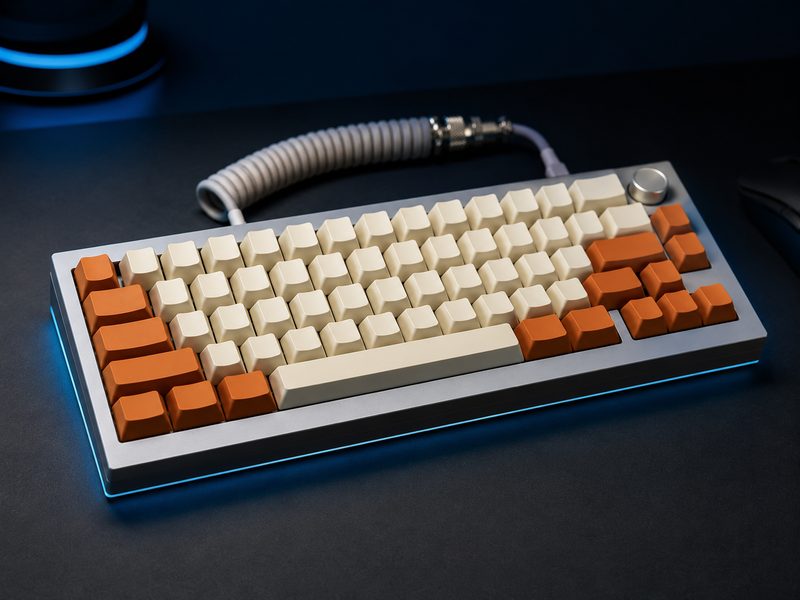
Keychron Q3 Max
The Q3 Max is the enthusiast keyboard that needs no modding: a full aluminum case, gasket-mounted plate for a soft, deep typing feel, hot-swappable switches, QMK/VIA programmability, and tri-mode wireless. It types like boards costing twice as much did a few years ago, and the tenkeyless layout keeps your mouse close.
- Full CNC aluminum case, gasket-mount design
- Hot-swappable switches, QMK/VIA programmable
- 2.4GHz wireless, Bluetooth, and wired modes
- Tenkeyless layout with knob
Why it made the list: Endgame typing feel out of the box — no mods required.
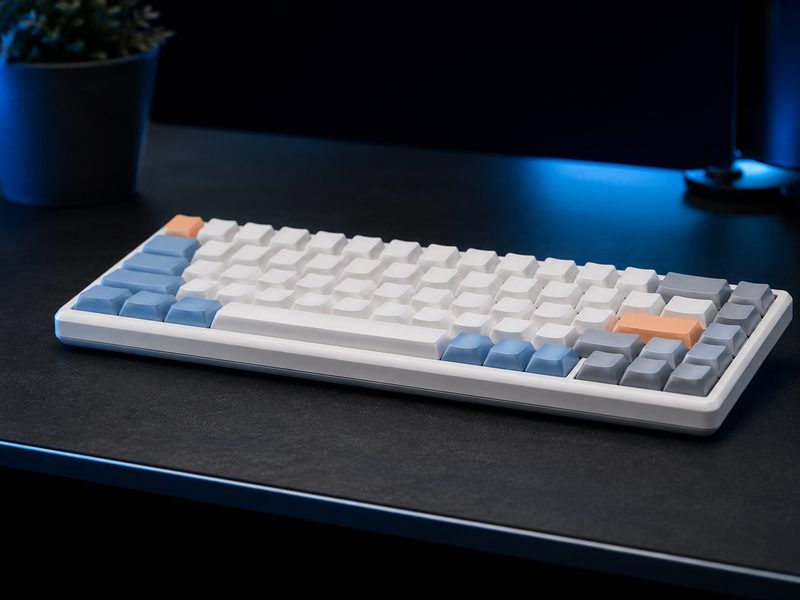
NuPhy Air75 V2
The Air75 V2 proves low-profile doesn't mean laptop-mushy: proper low-profile mechanical switches with real tactility in a slim board that slides into a laptop sleeve. It pairs across three devices, works beautifully with both Mac and Windows, and its pastel accent keycaps have become a signature look.
- Low-profile mechanical switches, hot-swappable
- Slim, travel-friendly aluminum frame
- Tri-device Bluetooth plus 2.4GHz and wired
- Mac and Windows layouts in the box
Why it made the list: Real mechanical feel in a board thin enough to travel with.
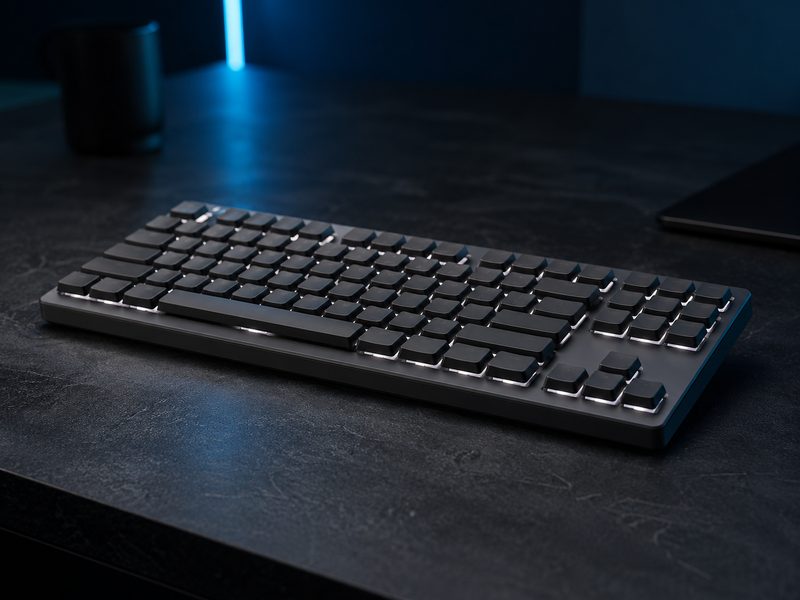
Logitech MX Mechanical
The MX Mechanical is the mechanical board for people who share an office: quiet tactile switches, a restrained low-profile design, smart backlighting that activates as your hands approach, and Logitech's excellent multi-device Flow pairing with MX mice. It's the least disruptive way to bring mechanical typing into a professional space.
- Quiet tactile low-profile switches
- Smart backlighting with proximity activation
- Pairs with three devices, Logi Bolt or Bluetooth
- Matches the MX Master mouse ecosystem
Why it made the list: Mechanical satisfaction that won't get you glared at in an open office.
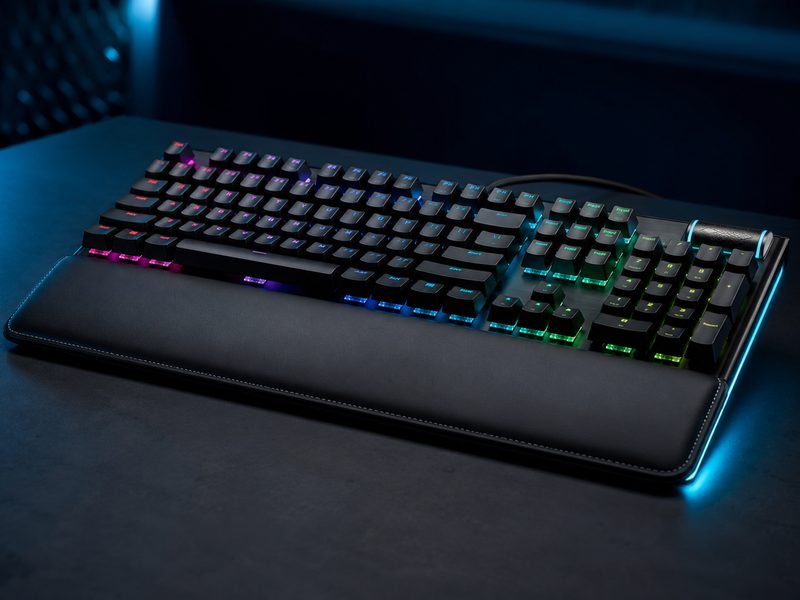
Razer BlackWidow V4 Pro
The BlackWidow V4 Pro is the maximalist gaming board: a command dial and dedicated macro keys, plush leatherette wrist rest, underglow lighting, and Razer's mature switch lineup. For streamers and MMO players who actually use macros and media controls, all the extra hardware earns its desk space.
- Command dial plus dedicated macro keys
- Plush magnetic wrist rest with underglow
- Razer mechanical switches, full RGB
- 8000Hz polling capability
Why it made the list: The full-featured gaming flagship for players who use every extra key.
Royal Kludge RK84
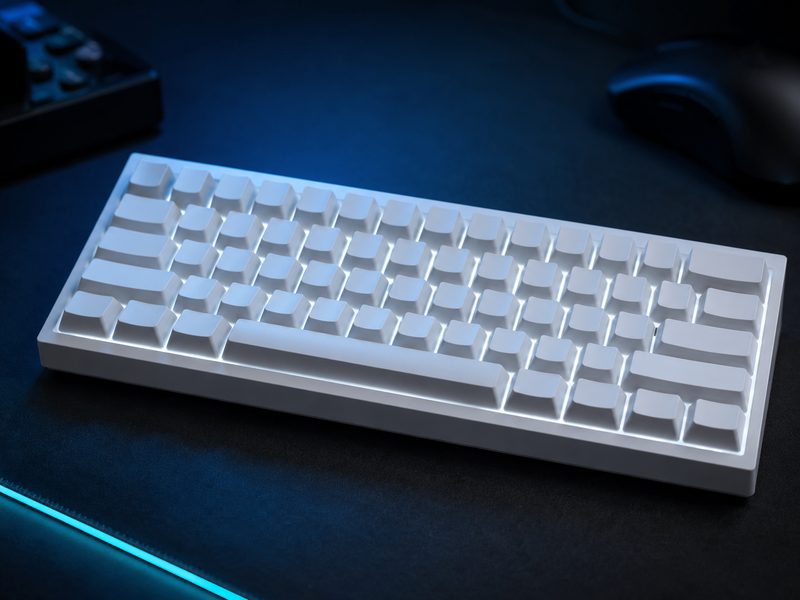
The RK84 is the budget gateway that hooked half the hobby: a compact 75% layout, hot-swappable switches so you can experiment cheaply, tri-mode wireless, and a price that makes it an easy first step. The stock experience is good; a cheap switch and keycap swap later makes it genuinely nice.
- 75% layout with hot-swap switch sockets
- Bluetooth, 2.4GHz, and wired tri-mode
- White backlight (RGB variants available)
- Massive community mod support
Why it made the list: The cheapest credible entry into mechanical keyboards — and endlessly moddable.
Buying Guide
Pick your switch type first
Linear switches are smooth and quiet-ish (gaming favorite), tactile switches have a bump you feel (typing favorite), and clicky switches announce every keystroke to the room. If you can't test in person, tactile is the safest first choice — and hot-swap boards let you change your mind for the cost of switches alone.
Layout is about desk space
Full-size boards include a numpad; tenkeyless (TKL) drops it to bring your mouse closer; 75% compresses further while keeping F-keys and arrows. Most people who switch to TKL or 75% never go back.
Hot-swap is worth it
Hot-swappable sockets let you replace switches without soldering. It turns a keyboard from a fixed purchase into a platform — worth prioritizing on any board you plan to keep.
Frequently Asked Questions
Are mechanical keyboards actually better for typing?
For most people, yes — discrete switches give consistent feedback and actuation that membrane boards can't match, and typing fatigue tends to drop. The improvement is biggest for people who type several hours a day.
What's gasket mounting and does it matter?
Gasket mounting suspends the switch plate on cushioning material instead of screwing it rigidly to the case, giving a softer, quieter, more uniform keystroke. It's a real difference you feel immediately, and the Q3 Max brings it to a mainstream price.
Which switches are quietest for an office?
Low-profile quiet tactile switches — like those in the MX Mechanical — or any switch marketed as 'silent' with dampened stems. Avoid clicky switches entirely in shared spaces.
Do wireless mechanical keyboards lag for gaming?
Modern 2.4GHz dongle connections are effectively lag-free — competitive players use them. Bluetooth adds slight latency that's fine for typing but noticeable in fast games; use the dongle or cable for play.