Best USB Hubs & Docking Stations 2026
One cable to your laptop; monitors, network, storage, and charging on the other side — that's the promise of a good dock, and the difference between a good one and a flaky one is your daily sanity. The category splits into full Thunderbolt docking stations (powered, expensive, expansive) and portable USB-C hubs (bus-powered, cheap, travel-ready). These five picks cover both ends and the value zone between.
Buying a dock? Check your laptop before checkout
A USB-C-shaped port does not guarantee Thunderbolt, external-display support or the advertised charging wattage. Confirm the exact laptop model, number of external displays, and supported host cable before ordering.
Specific option: CalDigit TS4 (Thunderbolt 4, 18 ports, up to 98W laptop charging). Host-dependent display support; check the product details and seller before checkout.
View exact CalDigit TS4 on Amazon → · Dock or USB hub? · Compare docking stations
Affiliate disclosure: qualifying purchases may earn a commission at no added cost to you.
Our Ranked Picks
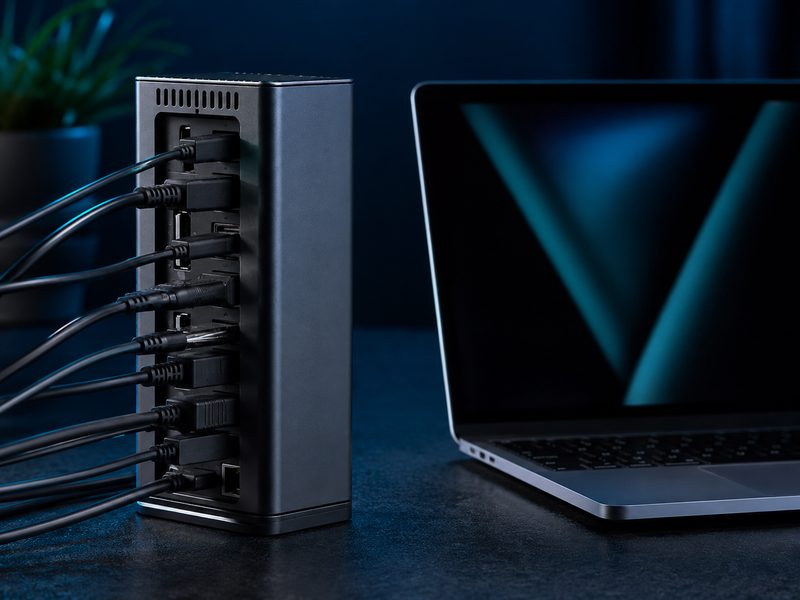
CalDigit TS4
The TS4 is the dock enthusiasts recommend to each other: 18 ports including 2.5GbE networking, high-wattage laptop charging, front-facing SD and USB-C, and the rock-solid reliability that cheaper docks trade away. It's expensive, but it's the last dock a desk needs — the thing simply works, every day, with everything.
- 18 ports including 2.5GbE Ethernet
- High-wattage laptop charging over one cable
- Front SD/microSD readers and front USB-C
- Legendary reliability record
Why it made the list: The gold-standard dock — buy once, forget it exists, everything just works.
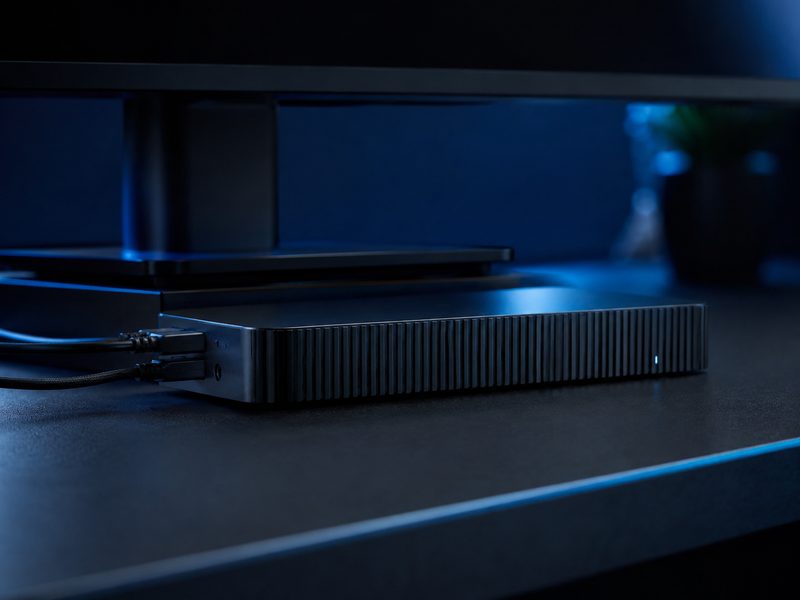
Plugable TBT4-UDZ
Plugable's flagship dock is built for monitor-heavy desks: dedicated HDMI and DisplayPort outputs that drive multi-display setups without dongle adapters, a horizontal chassis that slides under a monitor stand, and the company's noted driver support and warranty service. For a two-or-more-monitor workstation, it's the tidiest solution.
- Dedicated HDMI and DisplayPort outputs for multi-monitor
- Horizontal chassis fits under a monitor riser
- High-wattage host charging
- Strong warranty and driver support
Why it made the list: The cleanest way to run a multi-monitor desk from one laptop cable.
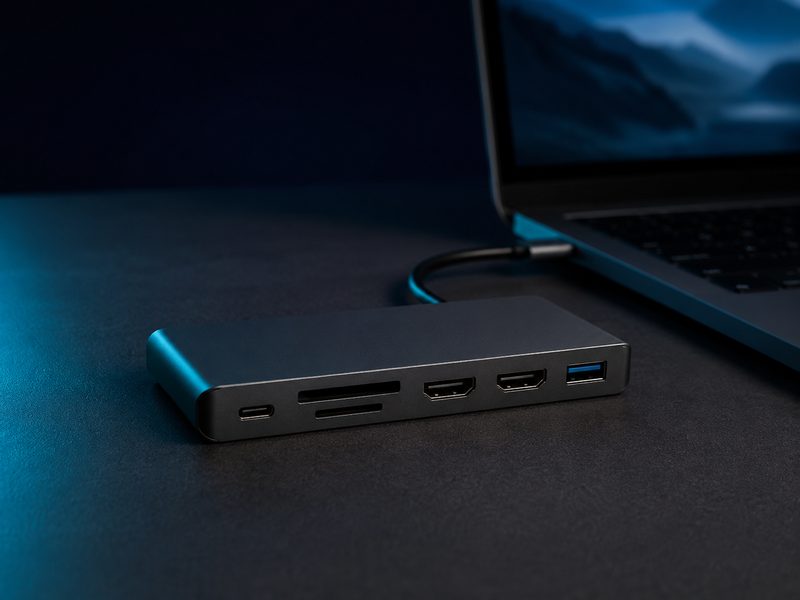
Anker 575 USB-C Dock
Anker's 575 hits the sweet spot for people who want a real desk dock without Thunderbolt pricing: triple-display output, laptop charging, SD readers, and a stack of USB ports in a compact slab. It uses standard USB-C rather than Thunderbolt, which keeps cost down and compatibility broad across Windows laptops.
- Triple display output support
- Laptop charging over the host cable
- SD/microSD card readers
- Broad USB-C laptop compatibility
Why it made the list: Real docking-station function at half the Thunderbolt price.
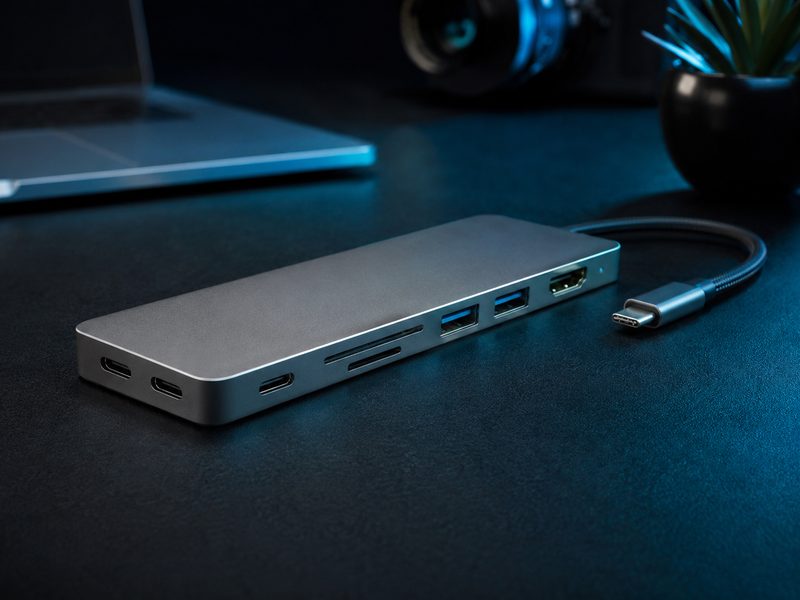
Ugreen Revodok Pro 13-in-1
Ugreen's Revodok Pro packs thirteen ports — displays, Ethernet, card readers, and a wall of USB — into a slab that costs less than some single-purpose adapters. Build quality outruns the price with an aluminum shell and braided cable. For a home desk or a hybrid worker's second setup, it covers everything without the premium.
- 13 ports: display, Ethernet, SD, and USB array
- Aluminum shell with braided host cable
- Pass-through laptop charging
- Plug-and-play, no drivers
Why it made the list: The most ports per dollar in a build that doesn't feel like a compromise.
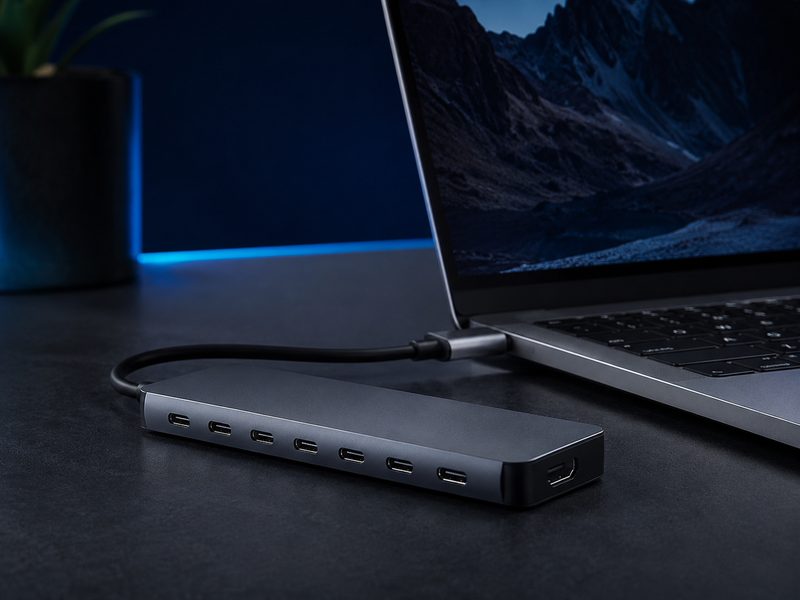
Anker 341 7-in-1 Hub
The Anker 341 is the hub that lives in a laptop bag: HDMI out, two USB-A, USB-C data and charging pass-through, and SD readers in a pocket-size bar. It's bus-powered, needs no setup, and solves the port-starved-laptop problem for presentations, hotel desks, and cafe sessions. Every USB-C laptop owner should own one.
- 7 ports: HDMI, USB-A, USB-C, SD/microSD
- Pocket-size, bus-powered, no adapter needed
- Charging pass-through to the laptop
- Works with any USB-C laptop
Why it made the list: The pocket essential that fixes any port-starved laptop for pocket change.
Buying Guide
Thunderbolt dock or USB-C hub?
A powered Thunderbolt dock is desk furniture: it charges the laptop, drives multiple high-refresh displays, and hosts everything permanently plugged in. A bus-powered USB-C hub is a travel tool. Most laptop-centric desks eventually want one of each — dock at home, hub in the bag.
Count displays and bandwidth first
Display output is where docks disappoint people. Confirm the dock supports your exact number of monitors at your resolution and refresh rate, and remember MacBooks on base chips limit external display counts regardless of the dock.
Wattage matters for charging
A dock that charges below your laptop's needs will lose ground during heavy work. Check your laptop's charger wattage and match or exceed it through the dock — most premium docks deliver high-wattage charging, budget hubs often pass through less.
Frequently Asked Questions
Will a Thunderbolt dock work with a regular USB-C laptop?
Usually, with reduced bandwidth — most Thunderbolt docks fall back to USB-C mode, though display counts may drop. If your laptop lacks Thunderbolt, a native USB-C dock like the Anker 575 avoids paying for bandwidth you can't use.
Why does my hub get warm?
Power delivery pass-through and display conversion generate heat; warm is normal, hot-to-touch under light load isn't. Aluminum-shell hubs like the picks above dissipate heat better than plastic bargain models.
Can a dock charge my laptop and run monitors at once?
That's the core job — one cable carries power in and video out simultaneously. Just verify the dock's charging wattage meets your laptop's requirement, or the battery may drain slowly under sustained heavy load.
Do docks work the same on Mac and Windows?
Mostly. The main caveat is display handling: base-chip MacBooks cap external display counts, and some multi-display docks use DisplayLink software on Mac to work around it. Windows laptops are generally plug-and-play with everything here.
Related Categories
USB-C docks and hubs: avoid an expensive port mismatch
A USB-C connector does not guarantee that a laptop supports video output, charging, Thunderbolt or the same data speed as a compatible dock. Buy according to your specific host port and monitor setup, not the product title alone.
Compare the number of simultaneously supported displays, resolution and refresh rate, Ethernet needs, power delivery, cable length and whether the dock needs its own supply. Read the laptop manufacturer’s supported-port documentation.
What to check before deciding
- Verify the actual host standard: USB data-only, DisplayPort Alt Mode, Thunderbolt or USB4.
- Check independent display limits, especially on systems with model-specific restrictions.
- Confirm passthrough power, monitor cable types and return policy before buying.
Continue reading: Docking station buying guide · External storage options