Best Mice & Trackballs 2026
The right pointing device is a comfort decision as much as a performance one. After years of testing categories against each other, the honest answer is that there's no single best mouse — there's a best productivity mouse, a best gaming mouse, and a best option for wrists that have started to complain. These five picks cover each lane definitively.
Our Ranked Picks
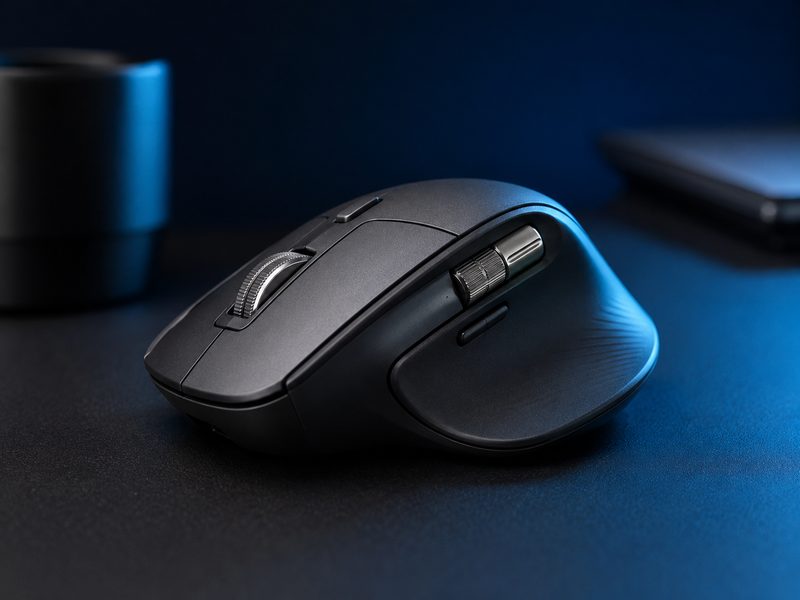
Logitech MX Master 3S
The MX Master 3S is the productivity mouse everything else is measured against: a sculpted shape that supports the whole hand, an electromagnetic scroll wheel that flicks through thousand-line documents, a thumb wheel for horizontal scroll, near-silent clicks, and multi-device pairing that follows you across three machines. For desk work, it has no real rival.
- MagSpeed electromagnetic scroll wheel
- Quiet clicks with 8K DPI tracking
- Thumb scroll wheel and gesture button
- Pairs with three devices, USB-C charging
Why it made the list: The definitive work mouse — comfort, scroll, and multi-device flow no rival matches.
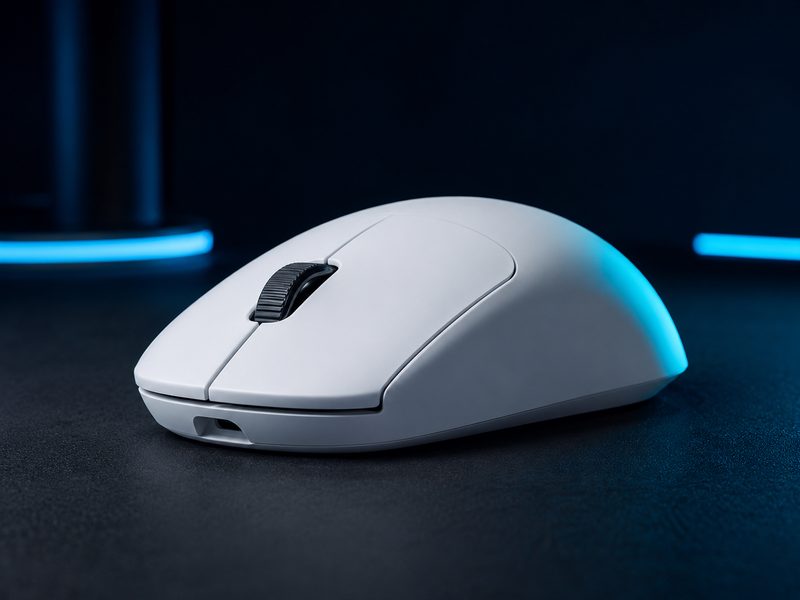
Logitech G Pro X Superlight 2
The Superlight 2 is the competitive standard: sub-60-gram weight, a flawless sensor, crisp optical-hybrid switches, and battery life measured in days of play. Its shape is deliberately neutral, fitting the widest range of grips of any esports mouse — which is exactly why so many professionals use it.
- Sub-60g weight with flawless flagship sensor
- Optical-hybrid main switches
- Neutral shape fits claw, palm, and fingertip grips
- Long battery life with lightweight wireless
Why it made the list: The esports default — light, flawless, and shaped for everyone.
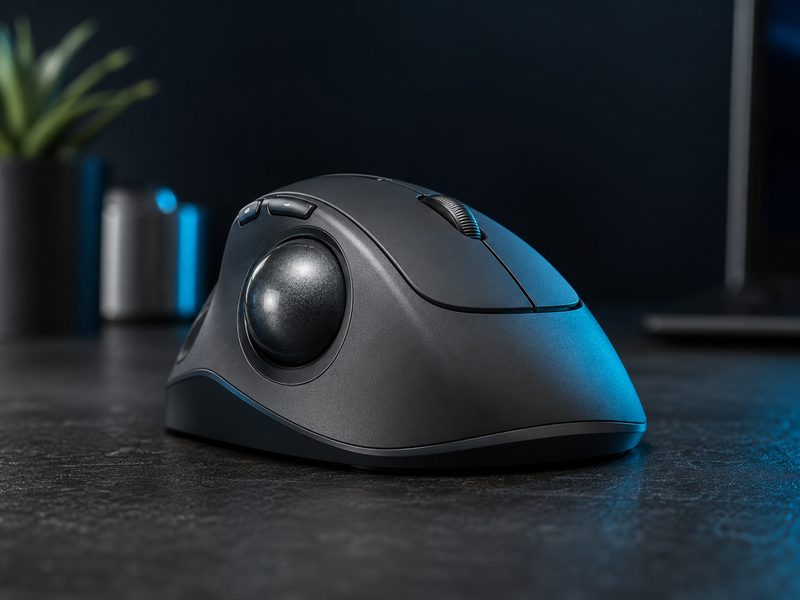
Logitech MX Ergo S
The MX Ergo S is the trackball that converts skeptics: your arm stays planted while your thumb does the work, which eliminates the shoulder and wrist travel that aggravates RSI. An adjustable tilt base lets you find a natural angle, and precision mode slows the cursor for detail work. Desk space required: exactly one mouse pad's worth less than you're using now.
- Thumb-operated trackball, arm stays stationary
- Adjustable tilt base for natural wrist angle
- Precision mode for fine cursor control
- Quiet clicks, multi-device pairing
Why it made the list: The easiest way to take load off a sore wrist without relearning everything.
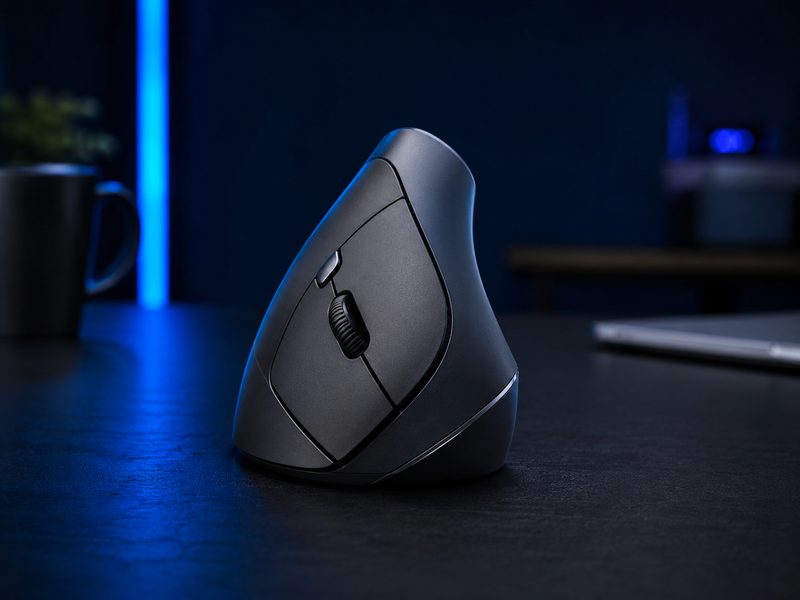
Logitech Lift
The Lift puts your hand at a 57-degree handshake angle that takes the twist out of your forearm — the single change doctors most often suggest for mouse-related wrist pain. It's sized for small-to-medium hands (the larger MX Vertical covers big hands), quiet, and cheap enough to try on a hunch that pays off for most people who make the switch.
- 57-degree vertical handshake grip
- Sized for small to medium hands
- Quiet clicks, three-device pairing
- Left-handed version available
Why it made the list: The affordable posture fix for wrists that ache by Friday.
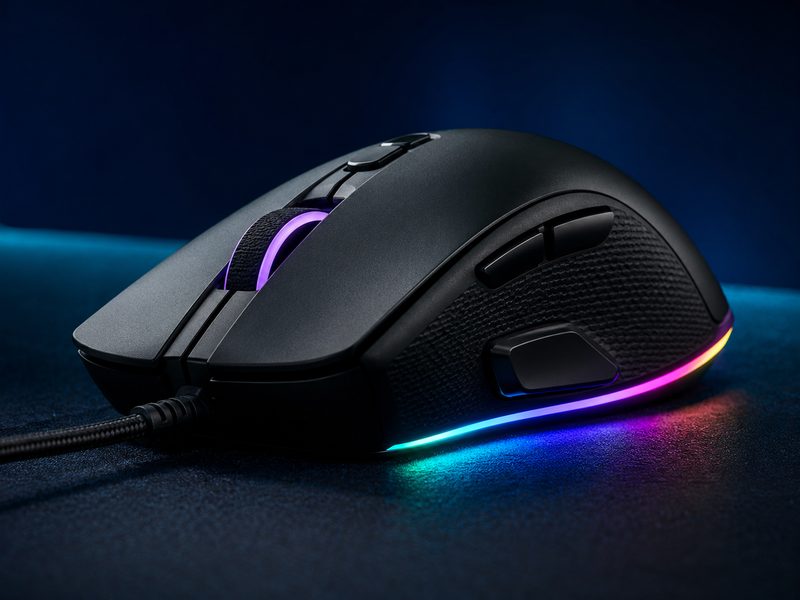
Razer Basilisk V3
The Basilisk V3 delivers most of what flagship gaming mice offer at a fraction of the price: a comfortable ergonomic shape with a thumb paddle, 11 programmable buttons, a smart scroll wheel that switches between tactile and free-spin, and full RGB underglow. For gamers who want features over grams, it's the smart buy.
- 11 programmable buttons including thumb paddle
- Smart scroll wheel with free-spin mode
- Ergonomic right-handed shape with textured grips
- Full RGB underglow
Why it made the list: Flagship features at half the price for gamers who don't chase grams.
Buying Guide
Weight vs. features
Competitive shooters reward light mice with minimal extras; productivity rewards buttons, scroll tricks, and comfort sculpting. Decide which camp you're in before comparing spec sheets, because the two design philosophies pull in opposite directions.
Ergonomics before pain, not after
Vertical mice and trackballs are dramatically easier to adopt before RSI sets in. If your wrist twinges at the end of long weeks, switching your daily driver now is cheaper than physical therapy later — keep the gaming mouse for games.
Wireless is a solved problem
Modern 2.4GHz wireless matches wired latency; even esports pros compete wireless. Choose based on charging preference — USB-C top-ups versus swappable batteries — not on connection anxiety.
Frequently Asked Questions
Do I need separate mice for work and gaming?
If you do both seriously, yes — the ideal shapes genuinely conflict. A sculpted productivity mouse fights fast flick aiming, and an ultralight gaming mouse gives up the scroll and button features that speed up work. Many desks end up with one of each.
Are trackballs better for carpal tunnel or RSI?
They remove arm and shoulder travel entirely, which helps many sufferers, and vertical mice fix forearm rotation instead. Which helps more depends on where your pain lives — thumb trackballs for shoulder/arm strain, vertical mice for wrist twist. Both are cheap experiments relative to ongoing pain.
How many DPI do I actually need?
Far fewer than the box brags. Most gamers play between 800 and 3200 DPI; office use sits similar. Marketing numbers in the tens of thousands are sensor headroom, not something you'll ever set.
Is the thumb scroll wheel on the MX Master actually useful?
Surprisingly, yes — for spreadsheets, timelines, and wide code files, horizontal scrolling under your thumb becomes second nature within days, and going back feels broken. It's the feature MX Master owners cite most.